A point of sale that keeps working when the internet does not.
Take orders at the table or the counter, send each item to the right kitchen or bar printer, and settle the bill. FlowPOS is for restaurants and hotel food and beverage. FlowMart sets up shops and supermarkets on the same till. Everything reports to your back office.
FlowPOS in use
FlowPOS and FlowMart with FlowStack
Menus that match how you sell
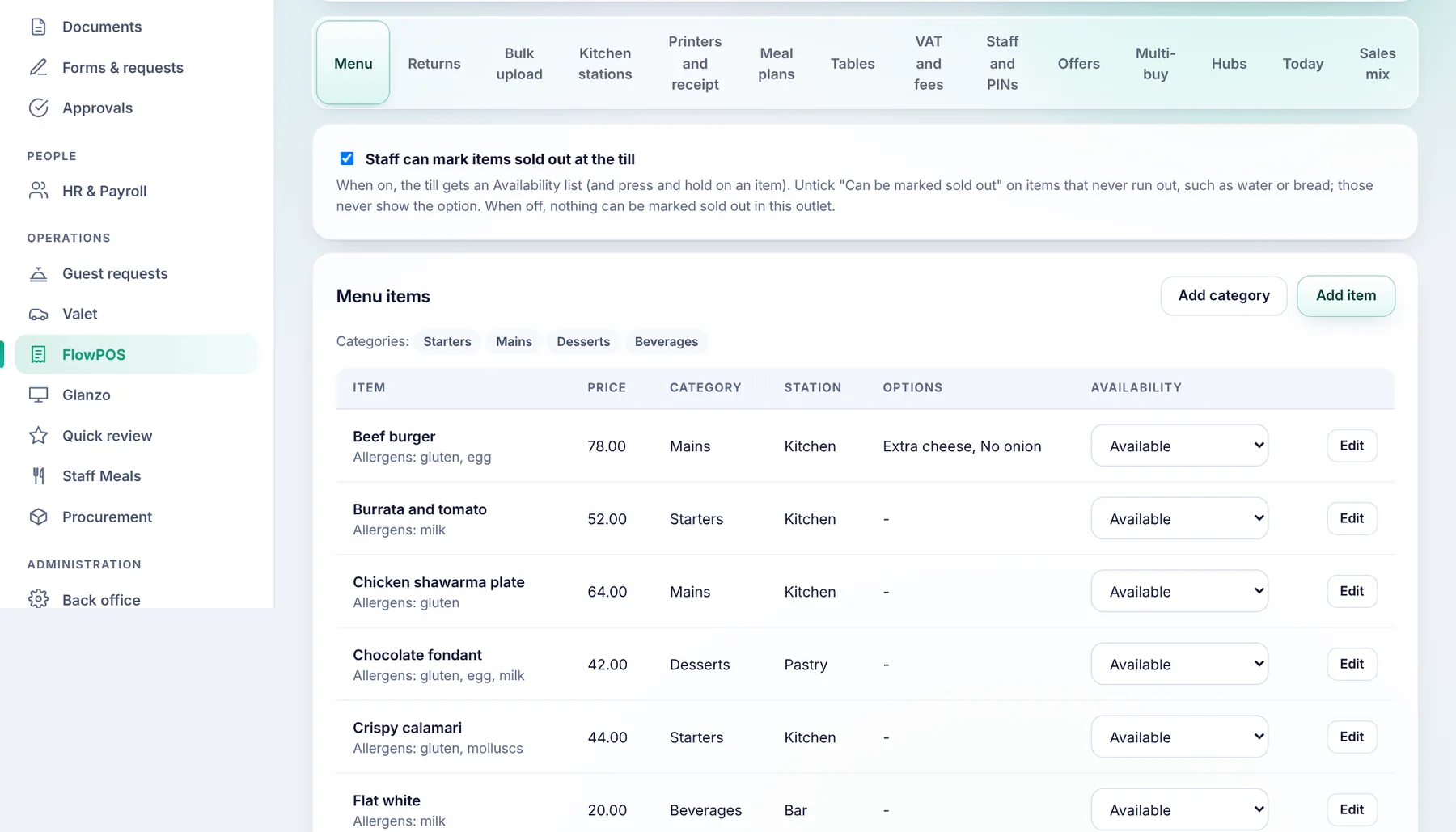
Major groups, family groups and items with options and allergens, set up once and uploaded from Excel. An item without a number gets the next free one in its group.
Tables, orders and the till
Open checks, add and change items, split a bill, give a discount with a reason, and settle with cash, card or room. Waiters and cashiers sign in with a PIN.
Kitchen and bar routing
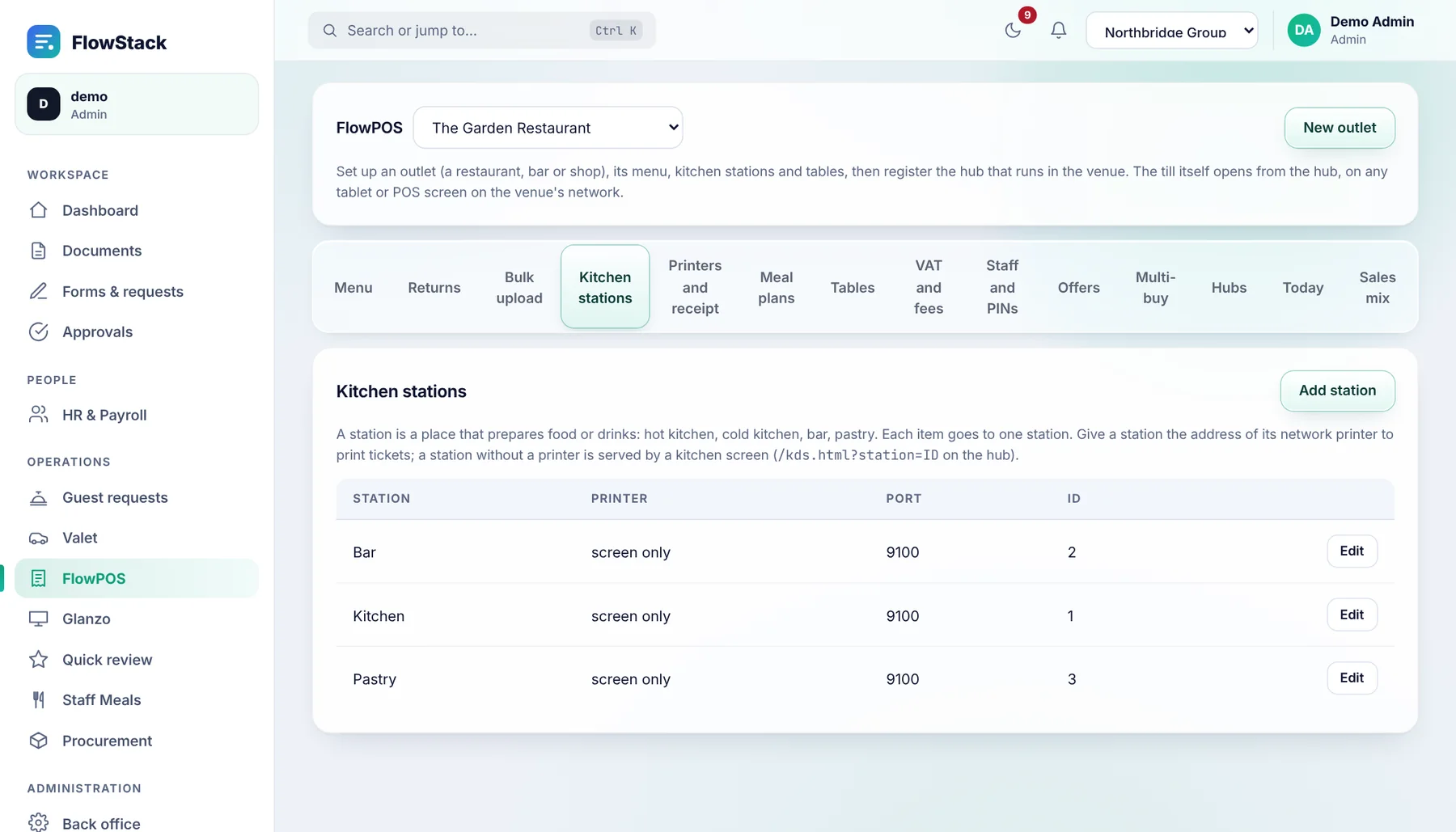
Each item prints where its group says. One ticket per station, only the new lines each time. Use any network receipt printer, or a kitchen screen.
Works when the internet does not
A small FlowStack Hub in the venue keeps taking orders, printing tickets, applying discounts and taking cash. When the internet returns everything syncs once, nothing doubled, and work done offline is flagged.
Guests order from the table
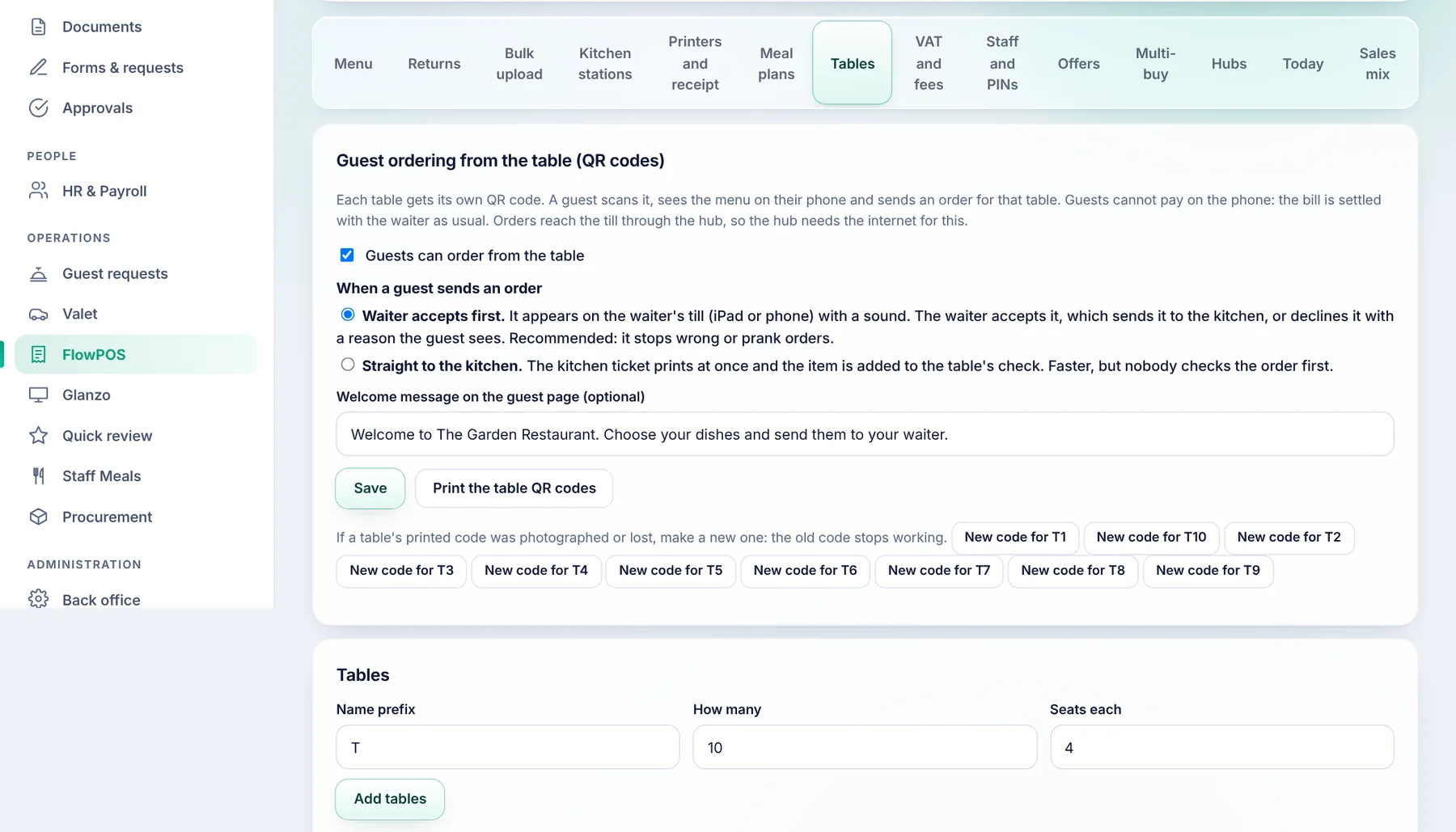
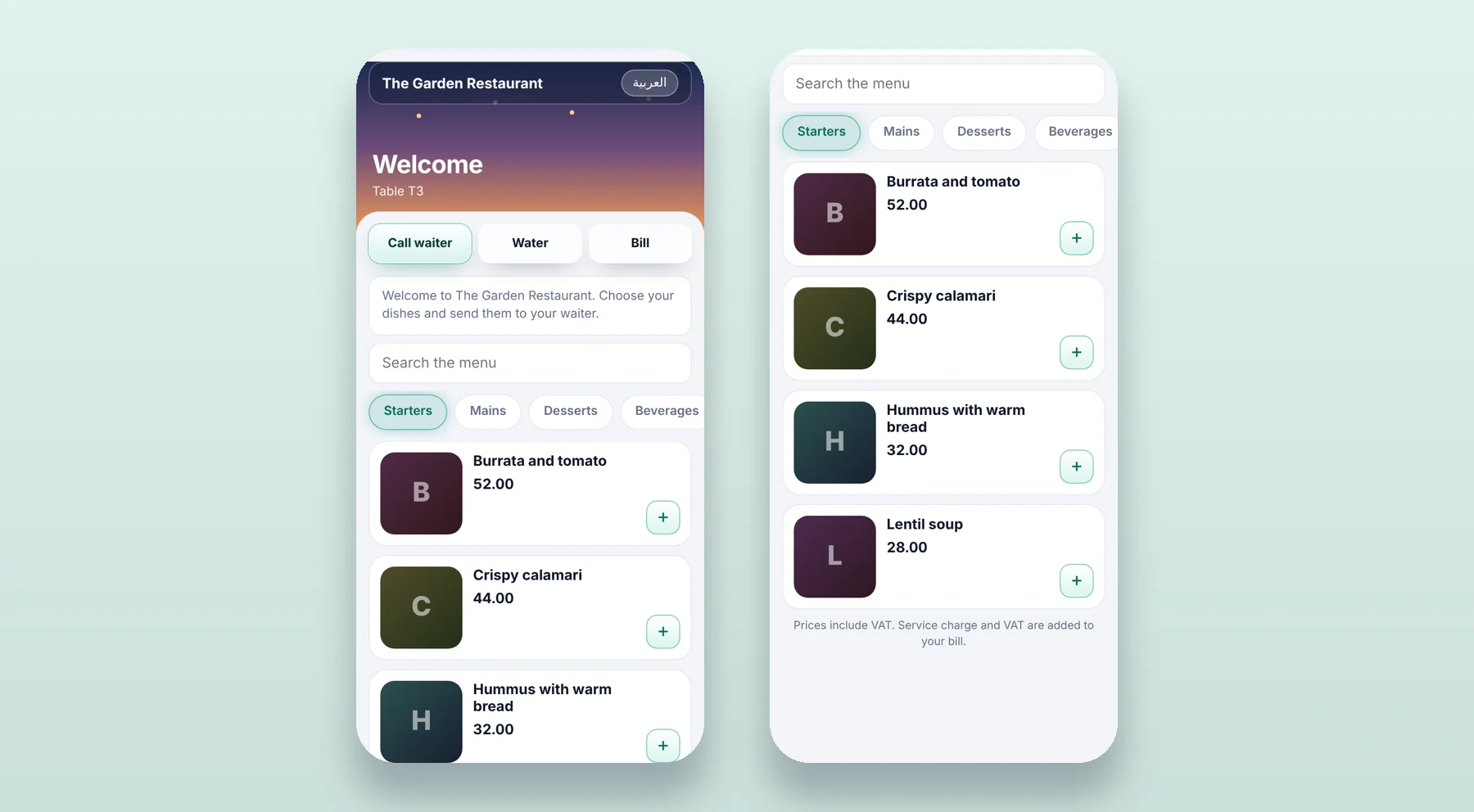
Each table has its own QR code. The guest scans it, sees the menu on their phone in English or Arabic, with options and allergens, and sends the order. No sign-in, no payment: the waiter settles the bill.
Meal plans for hotels
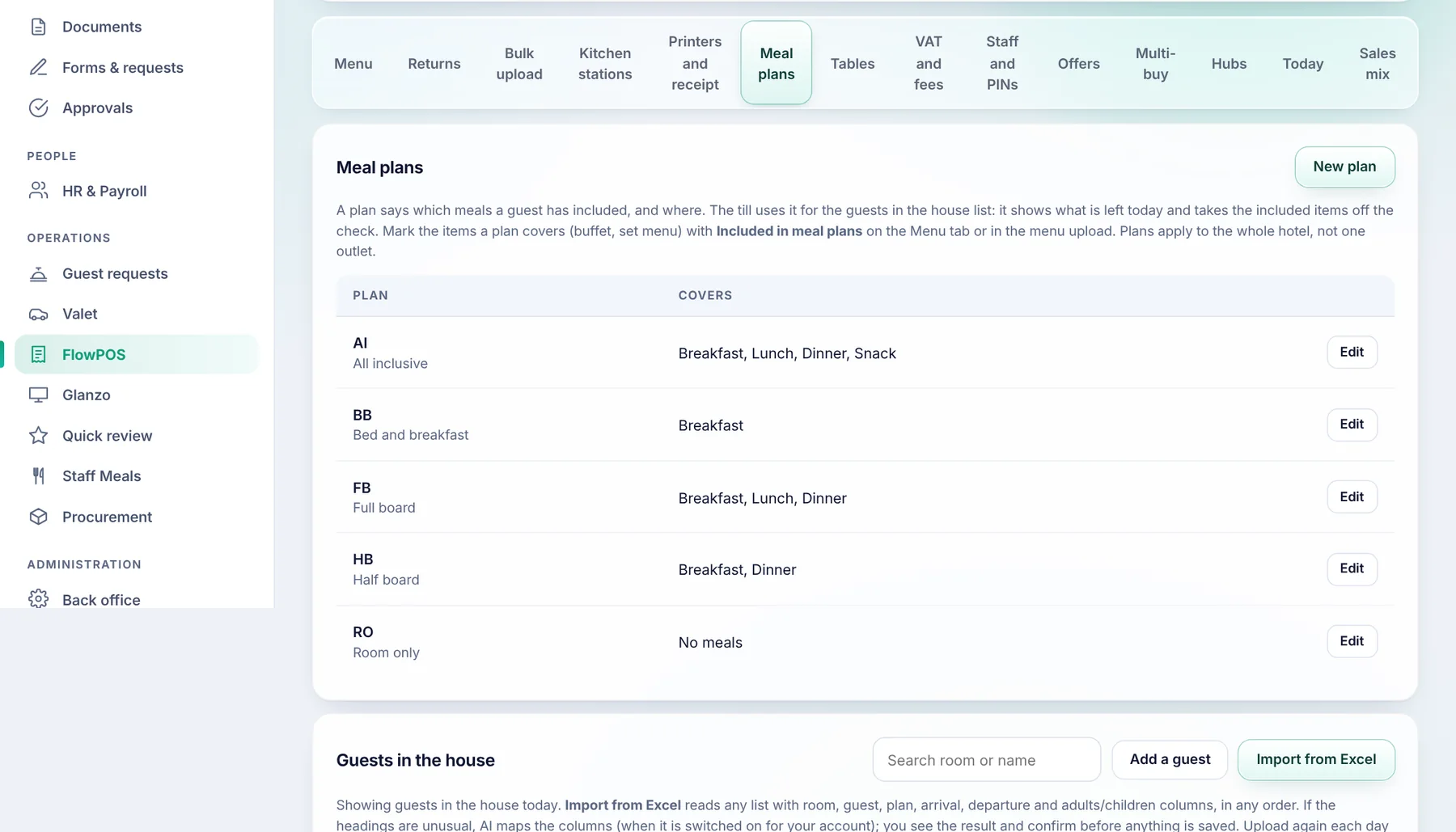
Room only, bed and breakfast, half board, full board and all inclusive. Find the guest by room or name, see what the plan covers today and use a cover. A meal that is not included, or already used, is refused.
VAT, service charge and fees
VAT, service charge and the municipality fee are dated rules per outlet, so a change or a relief period needs no one to call. The UAE default of 5 percent VAT is built in, with prices that include it.
Reports you can trust
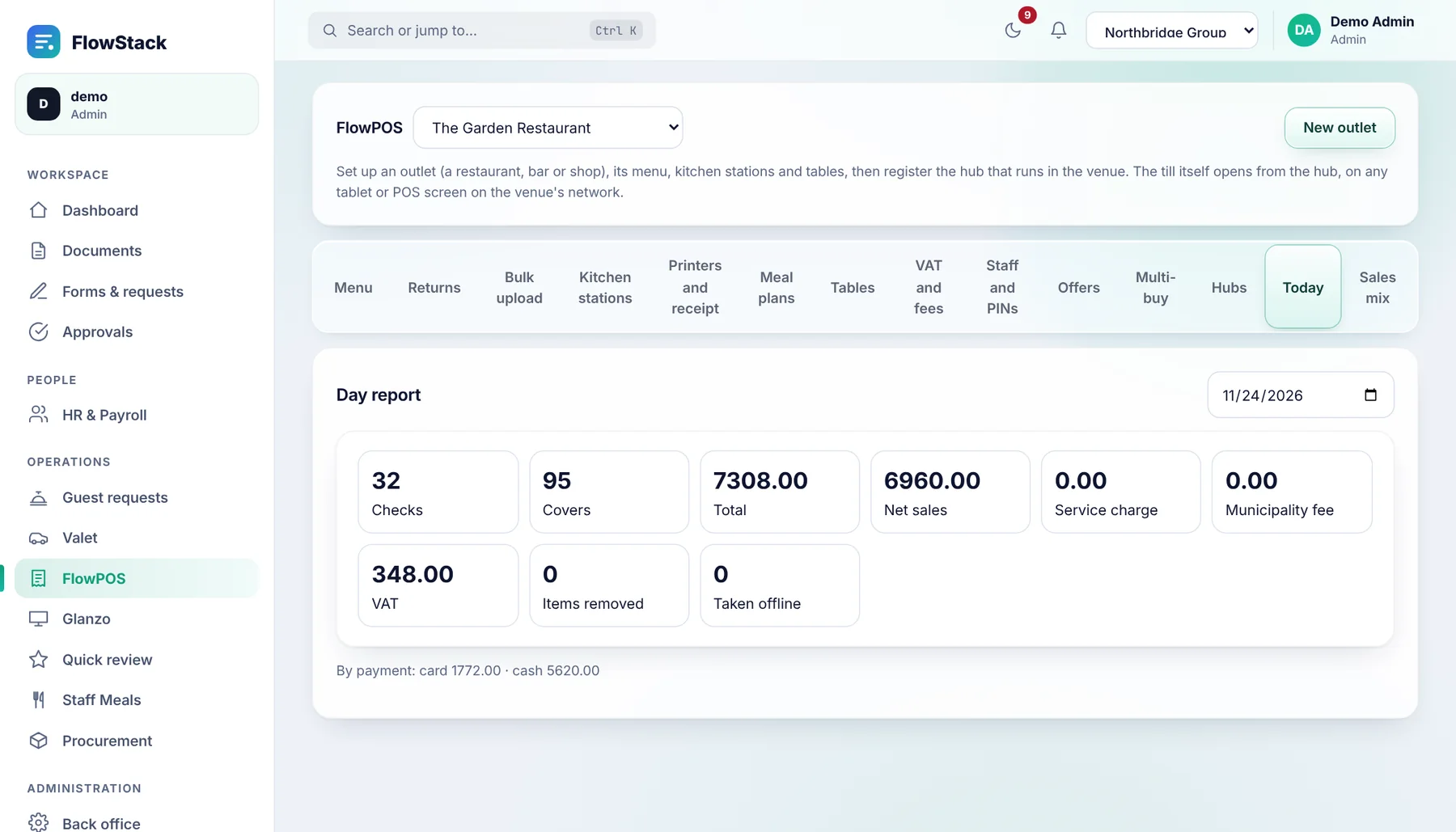
Covers, fees and payment methods for the day. Sales by item, group and hour. Every discount and every removed item with its reason and who did it, so the numbers reconcile.
Up and running in three steps
Set up your outlet
Add the menu, tables, kitchen stations and printers, by hand or from Excel.
Add your team
Give each waiter and cashier a PIN, and print a QR code for every table if guests will order from their phone.
Open the till
Take orders, send them to the kitchen and settle the bill. Review the day in the report.
Frequently asked questions
Do I need special hardware?
The till runs in a browser on a tablet, phone or PC. For the kitchen you need a network receipt printer, or a kitchen screen. To keep working with no internet you add the FlowStack Hub, a small mini PC or Android box in the venue. Hardware is bought separately, and we confirm what suits your outlet with you before you buy.
What happens when the internet goes down?
With a Hub, the outlet keeps taking orders, printing kitchen tickets, giving discounts and taking cash. When the internet returns everything is sent once, so nothing is doubled, and work done offline is flagged so a manager can see it. Card payments need the card terminal's own connection.
Does it take card payments?
Card payments are made on your own card terminal and FlowStack records the amount. It is not yet connected directly to a payment provider, so you keep your existing terminal and acquirer.
Can a hotel charge to the room?
Yes. A room payment needs the room number and is recorded against it. There is no direct connection to a hotel system yet: the in-house list is typed in or imported from Excel, including the meal plan of each guest.
Is it for shops and supermarkets too?
Yes. FlowMart sets an outlet up as a shop on the same till, with the same items, discounts, staff PINs and reports. Shops differ a lot, so we go through your needs in a demo before you start.
How are VAT and service charge handled?
As dated rules per outlet. The UAE default is 5 percent VAT with prices that include it, and service charge and the municipality fee can be added. A change or a relief period is a new rule from a date, with no one to call.
Can guests order from their phone?
Yes. Each table has its own QR code. The guest sees the menu in English or Arabic with options and allergens and sends the order. There is no sign-in and no payment: the waiter confirms and settles the bill.
How much does it cost?
FlowPOS and FlowMart are AED 299 a month with up to 100 users included. Prices are in AED, excluding VAT. Hardware is separate.
Try it free for 14 days
Pick the modules you need, invite your team, and see it working before you pay.