Staff meals without paper coupons.
Register your staff, set the meal times and let people scan a QR card at the counter. FlowStack checks they may eat now, prints a numbered ticket and counts every meal for the kitchen and for payroll.
Staff Meals in use
Staff Meals with FlowStack
QR meal cards
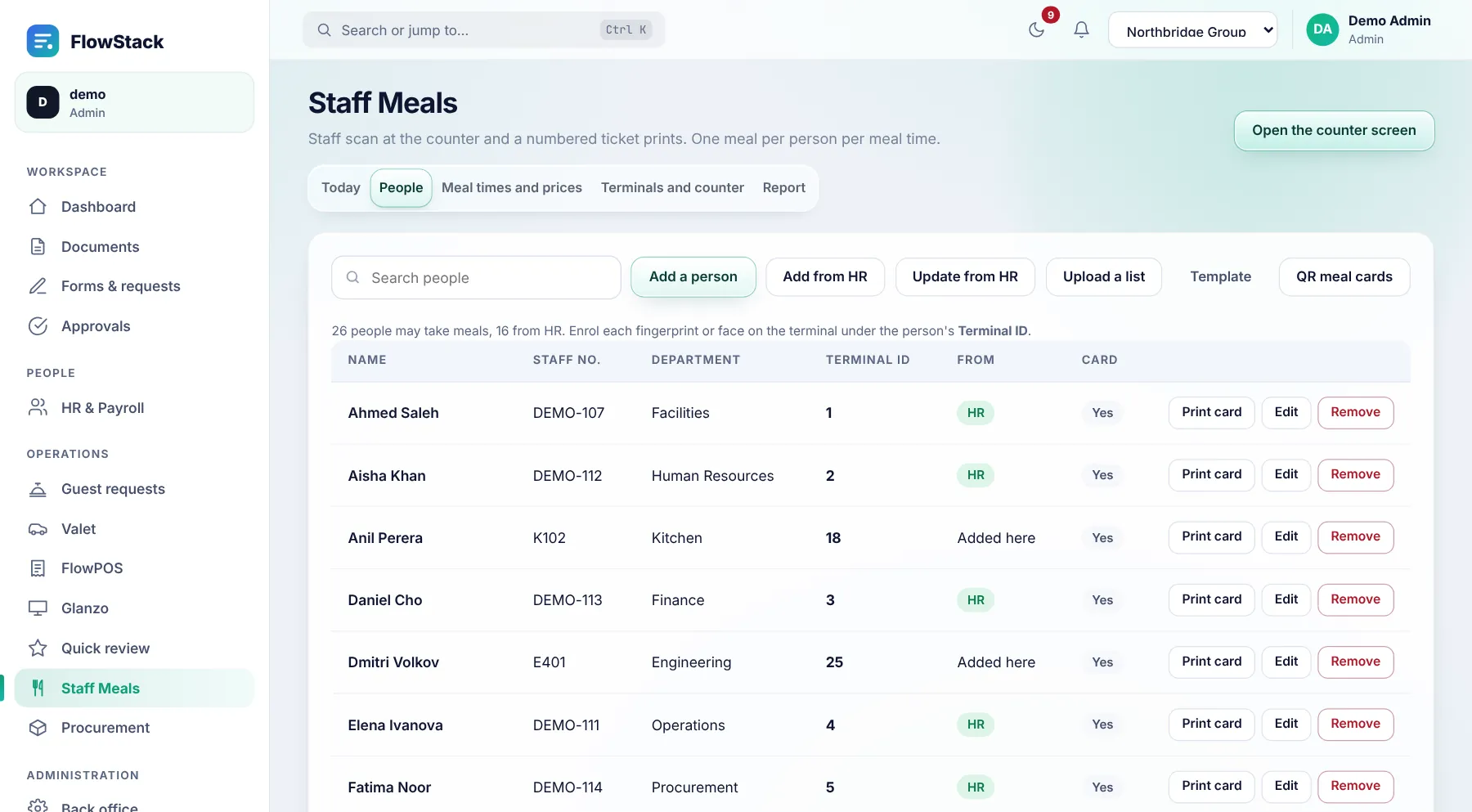
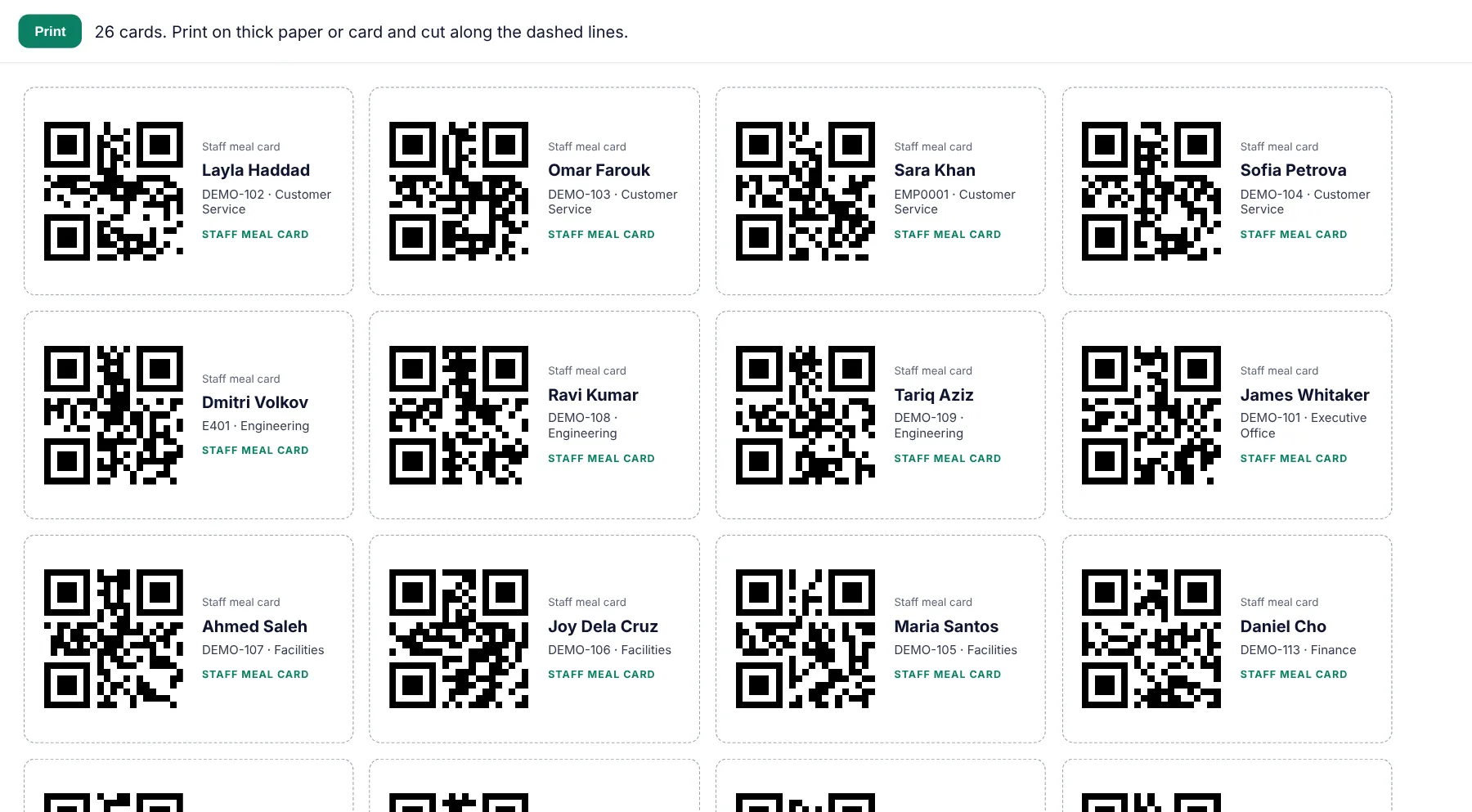
Print a card for each person, or for one person. A USB scanner or the tablet camera at the counter reads it, and a lost card is replaced in one click.
One meal per person per meal time
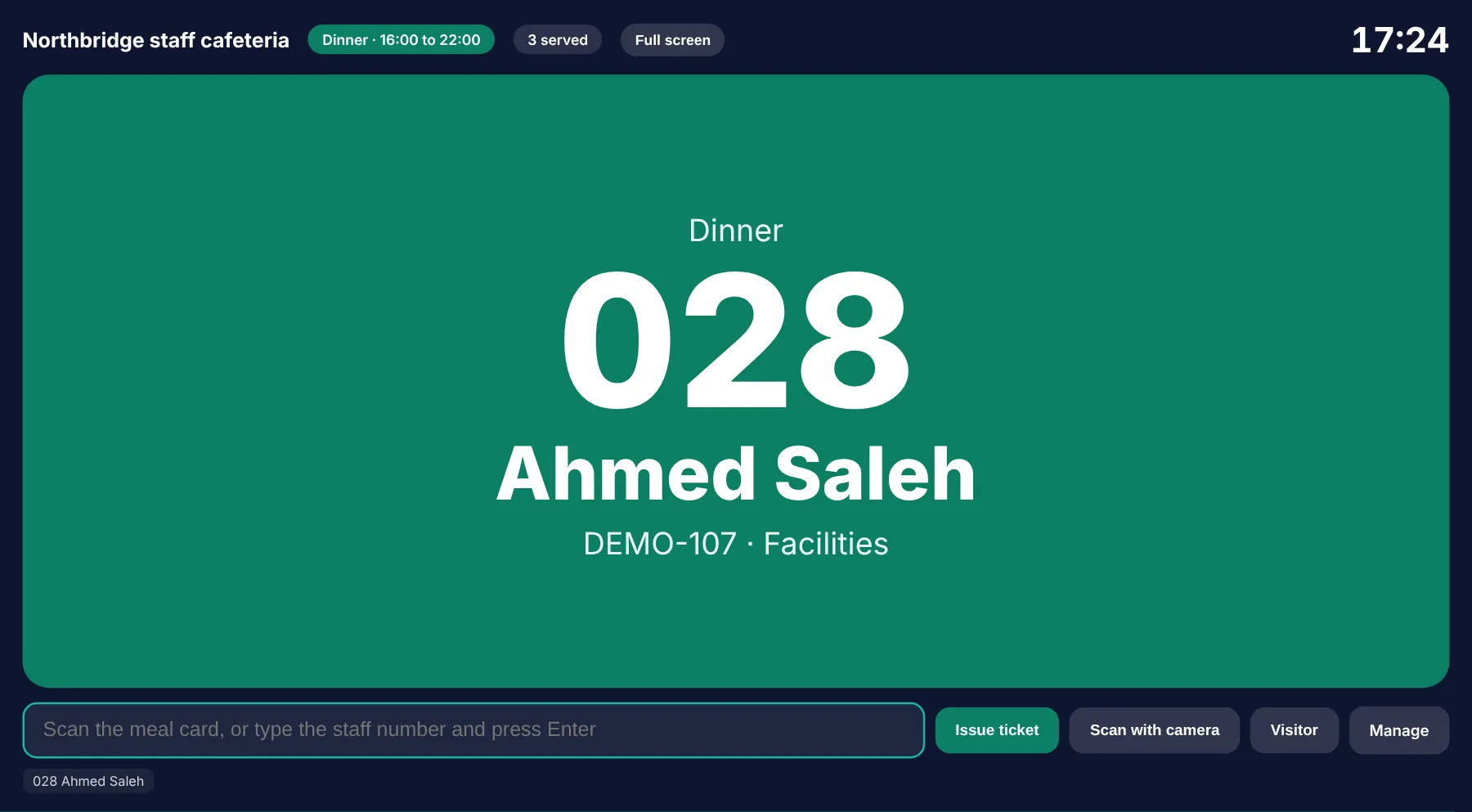
Breakfast, lunch, dinner, even a night meal that runs past midnight. A second scan is refused, with the reason on the screen. Add a daily limit if you want one.
Your staff, two ways
Pick people from the HR module, and leavers are blocked automatically. Or upload an Excel list, so a small company can use Staff Meals on its own.
Free or priced
Meals are free by default. Switch prices on and give each meal time its own price, printed on the ticket and totalled for payroll.
A counter that works like a till
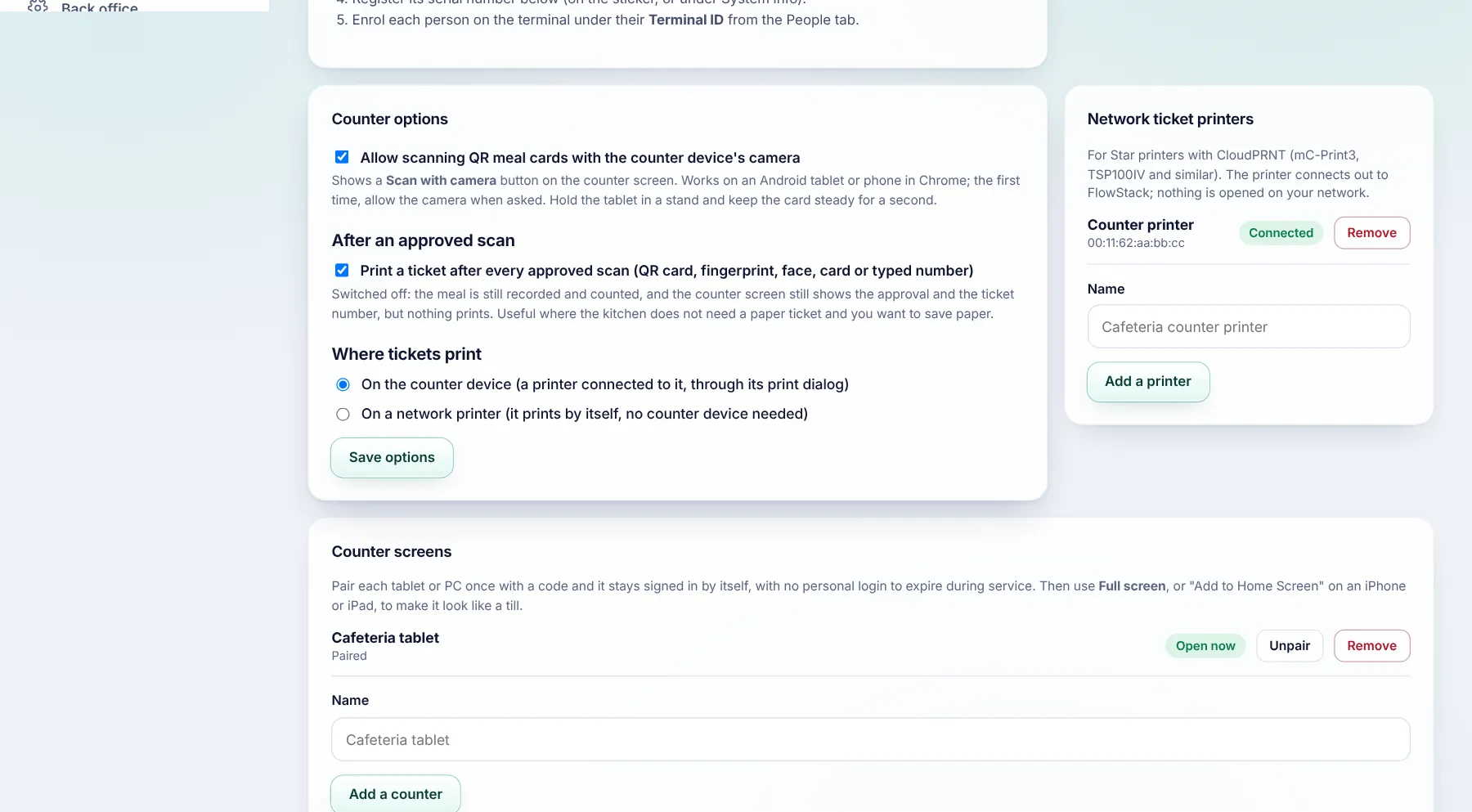
A full-screen counter screen for a PC or tablet, paired once so it never logs out. Big approved or refused messages, visitor tickets and a numbered ticket on an 80 mm printer.
Print or not
Choose whether an approved scan prints a ticket. A network printer can print by itself, with no PC at the counter.
Reports for the kitchen and finance
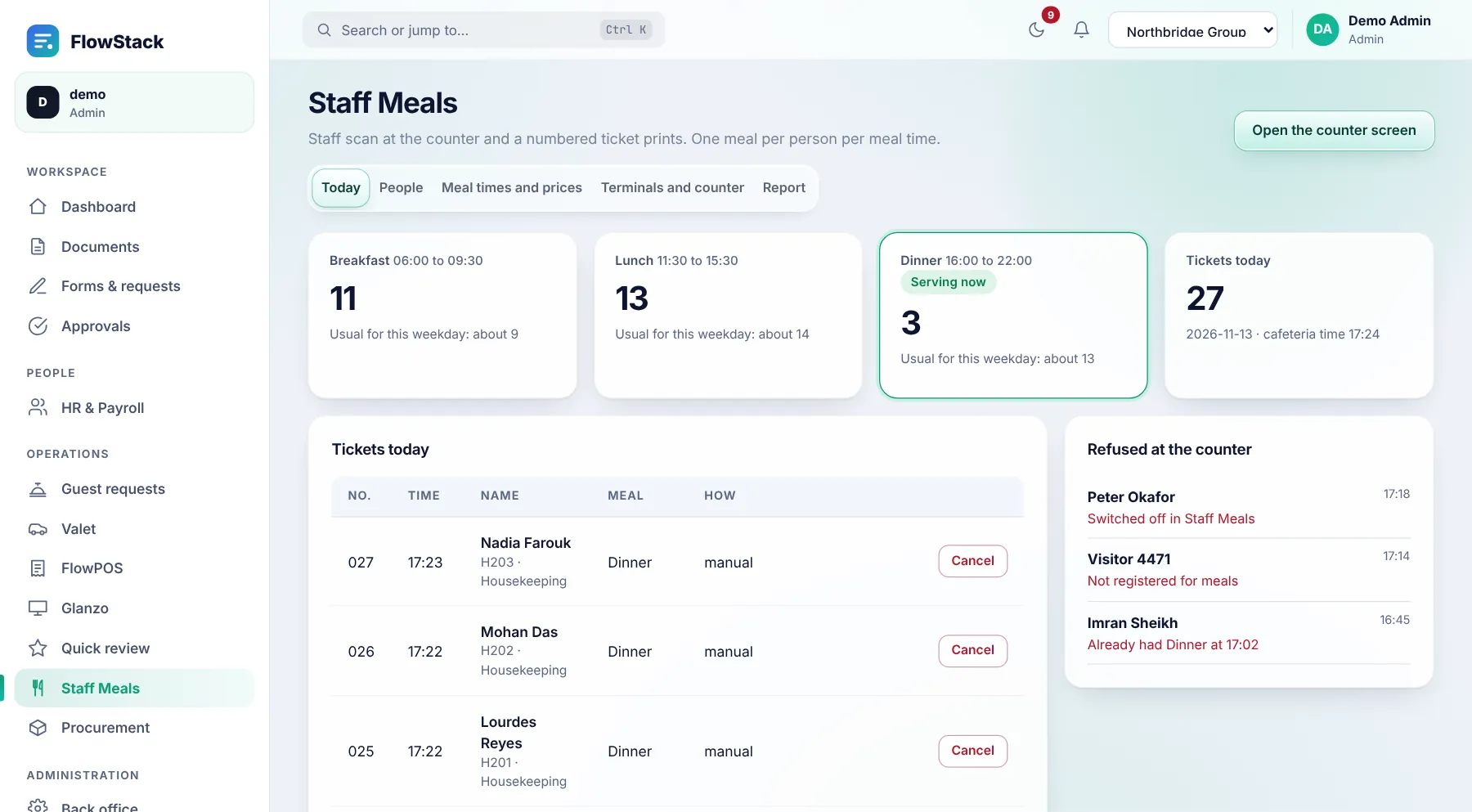
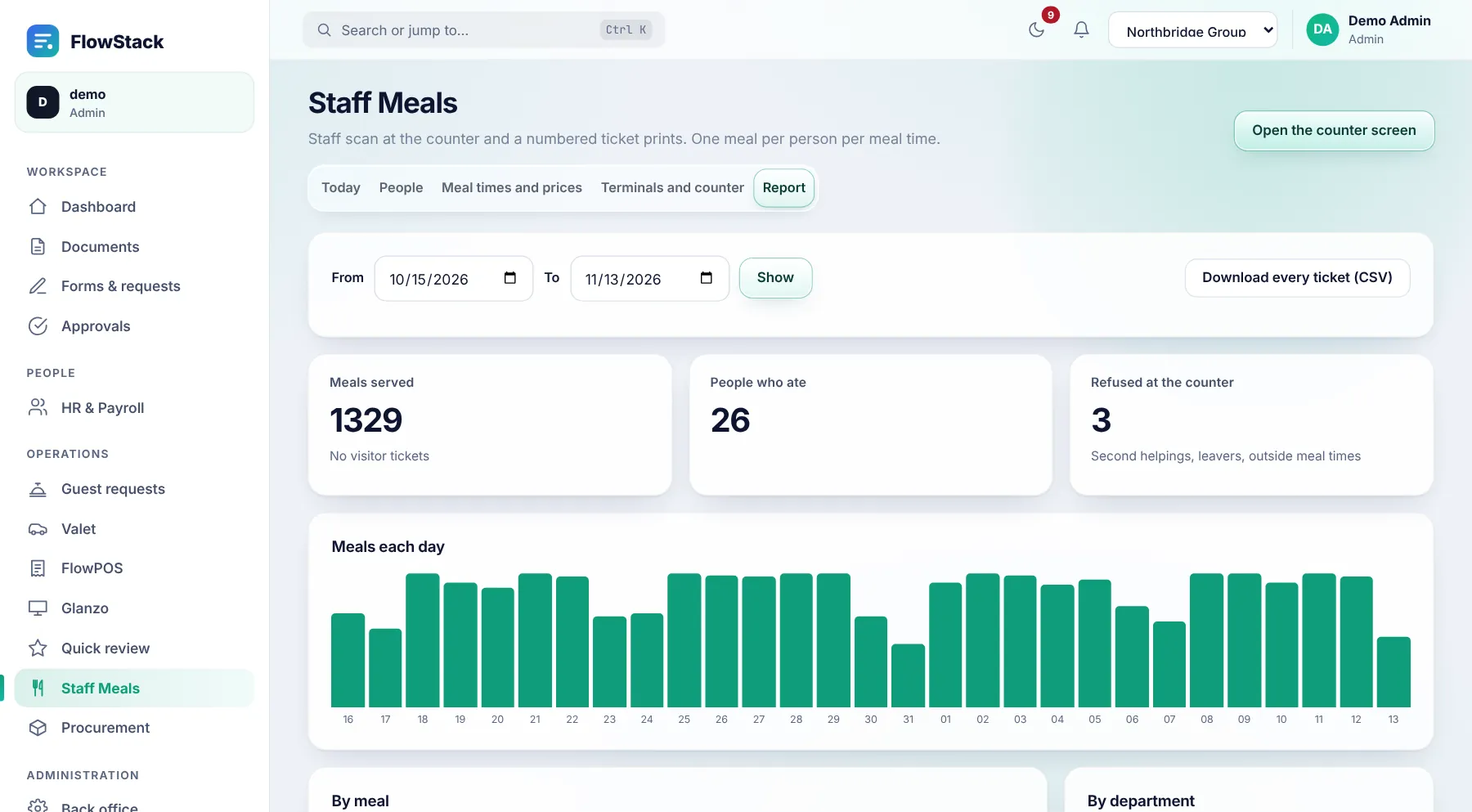
Meals so far today against the usual for that weekday, then by day, meal, department and person, with a CSV of every ticket.
Fingerprint and face terminals, optional
Terminals that send their scans to a server can be connected. Fingerprints and faces stay on the terminal; FlowStack receives only the ID and the time.
Up and running in three steps
Set the meal times
Add breakfast, lunch and dinner with their hours, and a price if you want one.
Register your people
Pick them from HR or upload an Excel list, then print their QR meal cards.
Open the counter and scan
Pair the tablet once, then staff scan and tickets print.
Frequently asked questions
Do I need a fingerprint machine?
No. QR meal cards work with any USB scanner or the camera of a tablet, and staff can also give their number at the counter. A fingerprint or face terminal is optional. We confirm your terminal model with you before you buy it.
Can the same person eat twice?
Not in the same meal time. A second scan is refused and the counter shows why, for example "Already had Lunch at 12:41". You can also set a daily limit.
Are meals free for staff?
Free by default. If you want to charge, switch prices on and set a price for each meal time. The price is printed on the ticket and totalled in the report for payroll or recharging.
Do I need the HR module?
No. Pick your staff from HR if you have it, or upload an Excel list. Small companies use Staff Meals on its own.
What about visitors and contractors?
The counter issues a named visitor ticket with one click. It is counted in the report as a visitor.
What if the internet goes down?
The counter screen needs the internet. A fingerprint or face terminal keeps its scans and sends them when the connection returns; they are counted, though not printed late.
What hardware do I need?
A PC or tablet at the counter, a receipt printer (80 mm; a Star network printer prints by itself) and optionally a USB QR scanner. Terminals and printers are bought separately.
How much does it cost?
Staff Meals is AED 199 a month, with up to 100 users included. Prices are in AED, excluding VAT.
Try it free for 14 days
Pick the modules you need, invite your team, and see it working before you pay.